Industry Suites · Maritime
Seafarer portal
Seafarr
Seafarr puts a seafarer's career on their phone: how ready they are to deploy, which documents are missing or expiring, their sea service, and the agencies that want them.
Free to download on Google Play and the App Store.
What it replaces
The text thread with the agency and the folder of certificates under the bed.
Documents found missing when an agency asks for them.
Certificates found expired at the worst moment.
Sea service pieced together from old contracts.
What Seafarr does
A seafarer's career, on their phone.
01
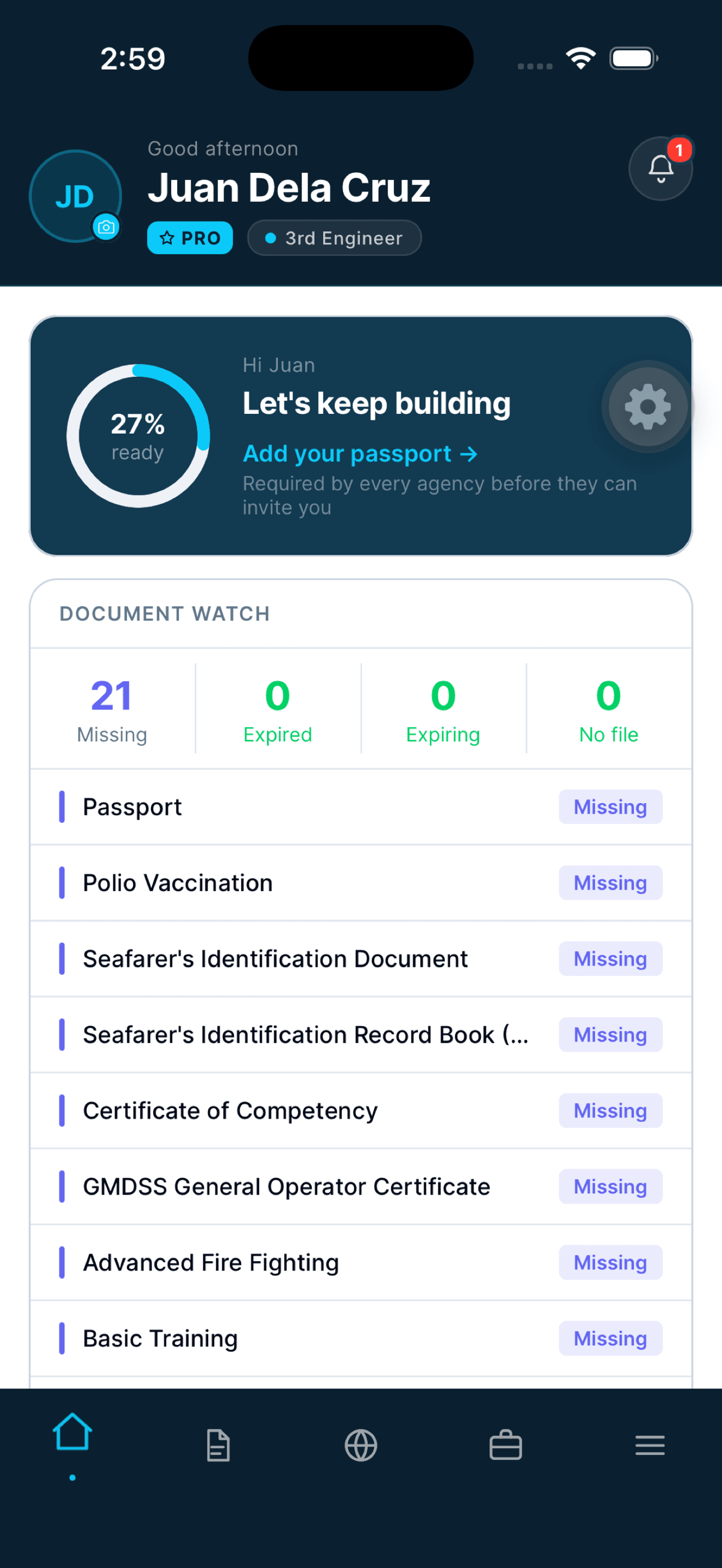
Deployment readiness
Every seafarer sees how ready they are to deploy, and what to do next.
- A readiness score, with the next document to add
- Sign-off countdown and PEME reminders once they are deployed
- Pre-departure items counted and listed
02
Documents and certificates
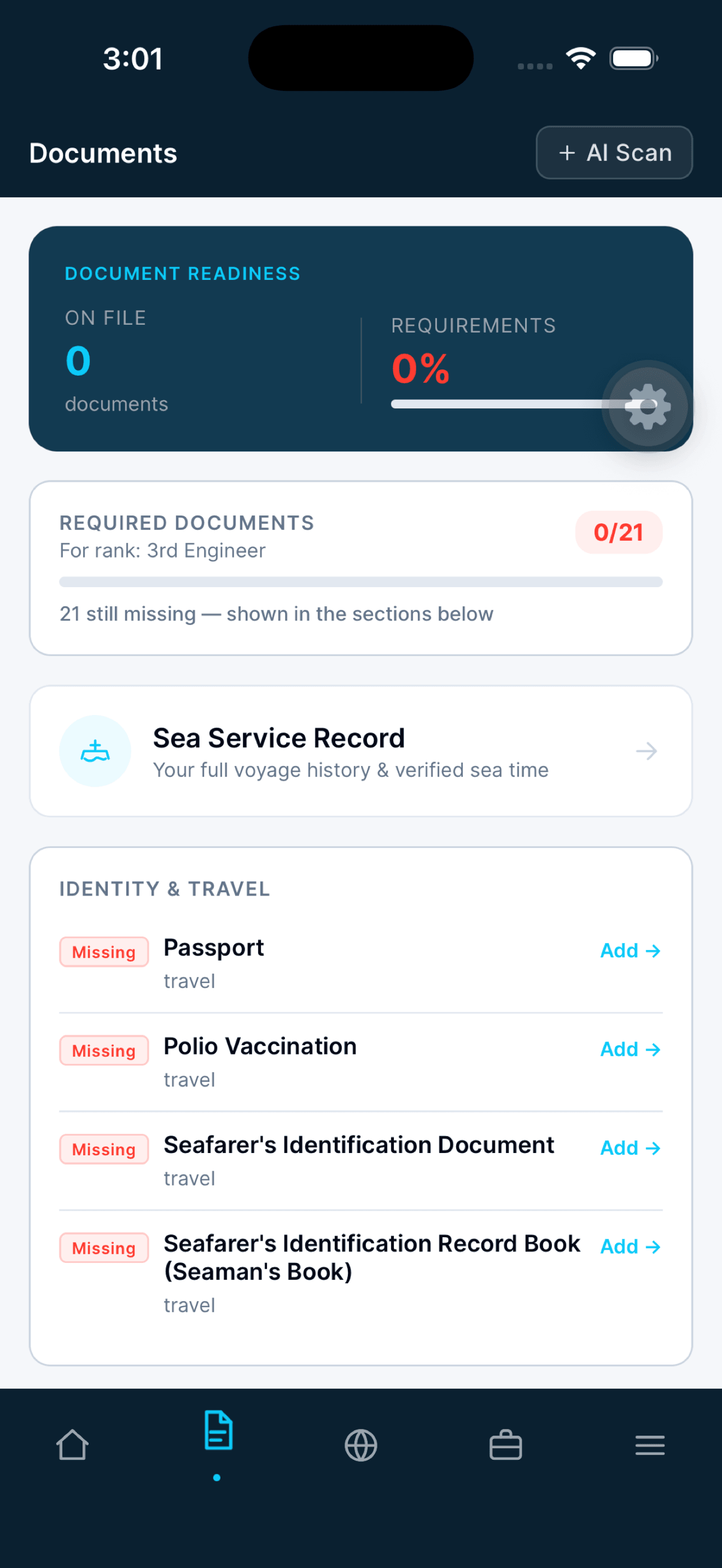
Every document their rank requires, tracked before it lapses.
- Required documents listed for the seafarer's rank
- Missing, expired and expiring documents counted on the home screen
- Documents added with AI Scan
Documents 03
Sea service and agencies
A verified record of every voyage, and the agencies that want them.
- Full voyage history and verified sea time
- Agency invitations received in the app
- Agencies rated by seafarers on culture
AI inside the product
No agent to manage. AI in the features.
Seafarr has no named agent. AI works for the seafarer inside the app: documents read with AI Scan, readiness scored, and reminders that appear on their own.
Pricing
Free to start.
Seafarr is free to download. Seafarr Pro adds AI document verification, career coaching, priority profile visibility and PDF export, and every new account starts with 30 days of Pro on us.
Private
Shared only when the seafarer says so.
A seafarer's profile, credentials and availability reach an agency or principal only when they switch sharing on, and they can switch it off at any time. Seafarr does not sell personal data.
How Seafarr collects, uses and shares a seafarer's data, in full.
Seafarr Privacy PolicyYour 30-day go-live
Ready on the first day.
Step 1
Download
The seafarer installs Seafarr from Google Play or the App Store.
Step 2
Sign up
They create an account, verify their email, and accept the privacy terms.
Step 3
Build the profile
About them and their rank, their sea service, and the documents their rank requires.
Step 4
Claim the gift
30 days of Seafarr Pro, and agencies can now invite them.
Questions seafarers and agencies ask
Before you book a demo.
- Where do I get Seafarr?
- On Google Play and the App Store. It is free to download.
- What does Seafarr Pro add?
- AI document verification, career coaching, priority profile visibility and PDF export. Every new account starts with 30 days of Pro on us.
- Is my data shared with every agency?
- No. Your profile, credentials and availability are shared with manning agencies and principals only when you switch sharing on, and you can change that at any time. Seafarr does not sell personal data.
- Will I get reminders?
- Yes. Readiness, certificate alerts and PEME reminders appear in the app.
Talk to us
Give your crew Seafarr.
A 30-minute walkthrough of Seafarr for your agency's seafarers, and how it fits your crewing operation.
Book a Seafarr demoNo pitch. No obligation. You keep the diagnosis either way.